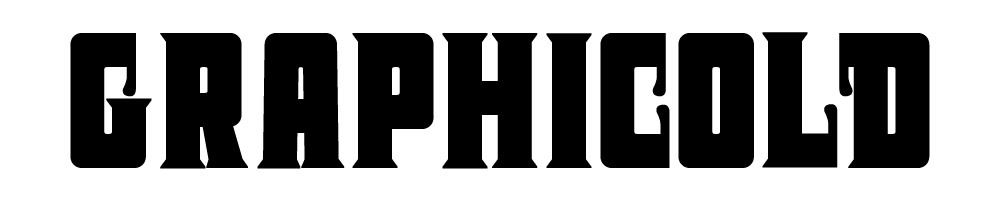


Designers constantly search for tools that speed up their workflow without sacrificing quality. PS BADGE MONOGRAM answers that demand by offering a complete, keyboard‑driven solution for creating striking two‑letter monograms. Whether you craft brand logos, style apparel, or produce custom merchandise, this font empowers you to generate polished, slab‑serif badges in seconds. By storing over a thousand pre‑designed monograms directly on your computer, it eliminates the need for bulky image files and keeps your projects lightweight and fully editable.
Why Choose a Dedicated Monogram Font for Design Projects
Traditional monogram assets come as static PNG or JPG files, which lock you into a single resolution and make color or shape adjustments painful. PS BADGE MONOGRAM transforms these constraints into opportunities. Because every monogram lives as a glyph inside a typeface, you can instantly change size, color, kerning, or outline thickness with any vector‑friendly software. The font also supports OpenType features such as alternate characters and ligatures, giving you granular control over the final appearance. This flexibility dramatically reduces revision time and keeps client communication fluid.
Key Benefits of Using PS BADGE MONOGRAM in Your Workflow
- Instant Creation: Type directly from the keyboard—no drag‑and‑drop, no layer masking.
- Professional Polish: Bold slab‑serif forms convey confidence and authority, perfect for high‑impact branding.
- Endless Variation: Over a thousand ready‑made two‑letter combinations plus the ability to craft custom pairs.
- Scalable Vector Quality: Convert glyphs to outlines for flawless export at any resolution.
- Storage Efficiency: One OTF/TTF file replaces hundreds of individual image assets.
Comprehensive Package Includes Essential Design Assets for Immediate Use
The download bundle supplies everything you need to start producing monograms from day one. Inside you will find:
- Two Typeface Styles: A solid version for full‑weight monograms and a gapped version that introduces subtle negative space for a lighter aesthetic.
- Shape Glyphs: Pre‑designed badge outlines, numeric characters, and special keys that you can combine with the main monogram glyphs.
- Quick‑Start Guide (PDF): Step‑by‑step instructions that walk you through installation, basic usage, and advanced customization.
- Future Updates: Automatic access to new glyphs and improvements, ensuring the font stays fresh and relevant.
Compatibility Across Leading Design Software Platforms
Because the fonts are delivered in standard OTF and TTF formats, they integrate seamlessly with every major creative application. Whether you work in:
- Adobe Illustrator
- Adobe Photoshop
- Affinity Designer
- Affinity Photo
you can type, edit, and convert the monograms without any additional plugins. The glyphs also appear in the OpenType panel of Photoshop, letting you fine‑tune tracking and baseline shifts directly within the program.
How to Install and Start Creating Professional Monograms Instantly
Installation is straightforward. Double‑click the OTF or TTF files and click “Install.” The fonts then become available in your system’s font library, ready for any design software to access. For web projects, simply convert the OTF files to WOFF2 using a free online converter and reference them with an @font‑face rule.
Step‑by‑Step Guide to Using the Typeface Effectively
- Open your design application and select the PS BADGE MONOGRAM font from the font picker.
- Type the desired two letters (e.g., “AB”) directly on the canvas.
- Adjust size and weight using the usual text size controls – the slab‑serif style scales cleanly from 12 pt to 200 pt and beyond.
- Convert to outlines (Create Outlines / Convert to Shapes) to unlock vector editing tools for custom tweaks.
- Combine with shape glyphs such as circles or shields to form full badge compositions.
- Export as SVG, PDF, or high‑resolution PNG for client delivery.
These simple steps let you move from concept to final asset in minutes, freeing up valuable time for creative exploration and client communication.
Creative Applications and Inspiration for Every Designer
PS BADGE MONOGRAM excels in a variety of contexts. Use it to craft:
- Elegant branding logos for boutique hotels or artisanal products.
- Custom apparel patches for streetwear collections.
- Monogrammed packaging labels for premium beverages.
- Personalized stationery and wedding invitations.
- Iconic badge‑style insignia for esports teams or community groups.
The bold slab‑serif character gives each design an authoritative presence, while the flexibility of the font ensures you can adapt to any style direction without starting from scratch.
Download PS BADGE MONOGRAM and Elevate Your Monogram Workflow Today
Ready to replace time‑consuming image libraries with a powerful, editable typeface? Click the button below to grab the complete PS BADGE MONOGRAM package, start creating instantly, and experience a new level of efficiency in your design process.


